What's in the Box & System Requirements
What's in the Box & System Requirements
What's in the Box
Your Deggy NXT Steel Pen System includes:
• Steel Pen — the handheld wand used to scan checkpoint buttons during patrols
• Download Station (DLS) — the USB dock used to program the Pen and download patrol data
• Checkpoint Buttons & Brackets — the iButton checkpoints installed at patrol locations
• USB Cable — connects the DLS to your computer
Note: Deggy Control Software is not included on a disc. You will download it in the next step using the link provided.
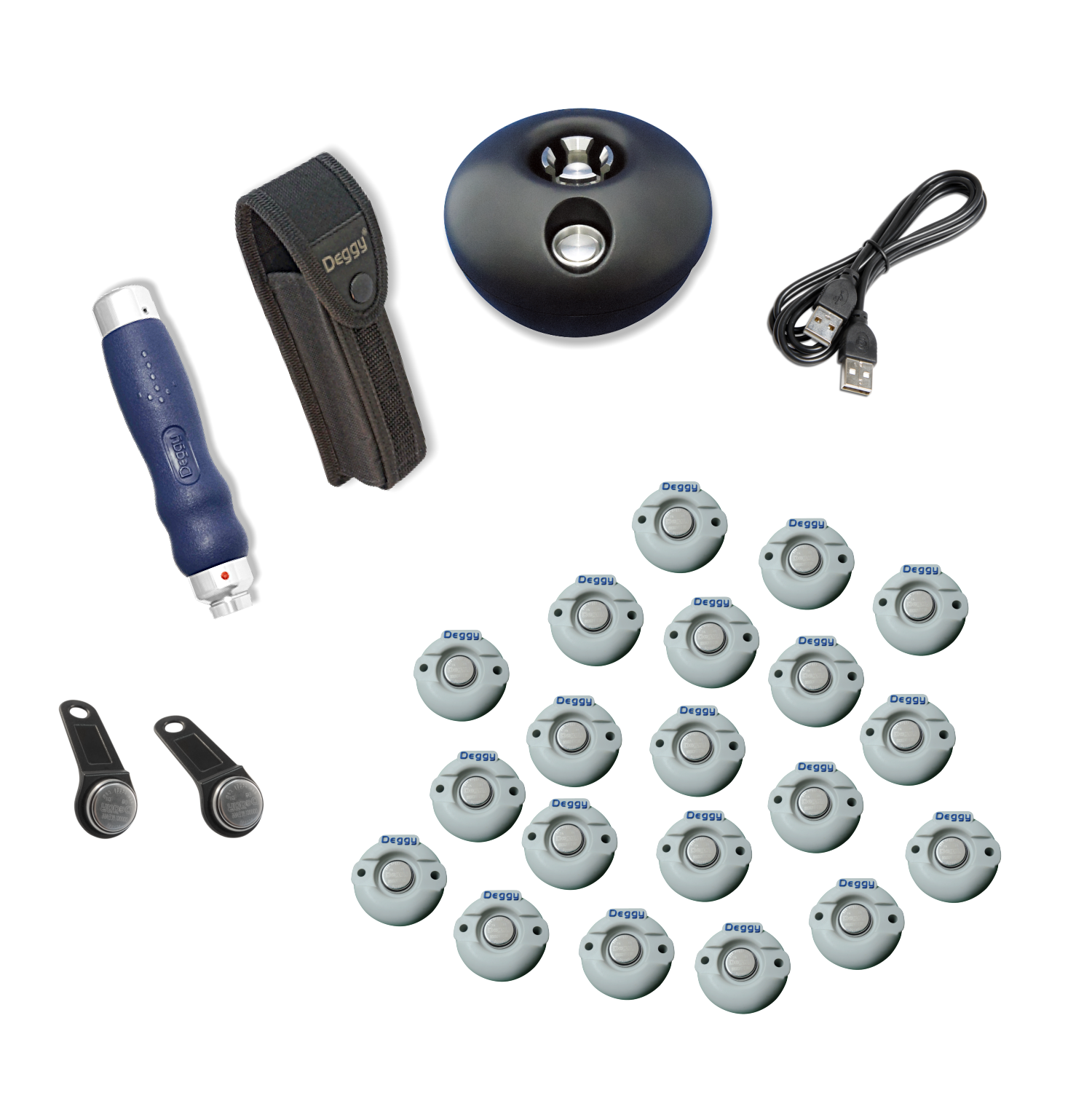 Deggy Control Kit - Standard
Computer Requirements
• Windows 7, 8, 10, or 11 (32-bit or 64-bit)
• Windows Server 2008 R2 or Server 2012 and above
• Microsoft Office 32-bit version only — the 64-bit version is NOT compatible
Not sure if your Office is 32-bit or 64-bit? Go to File → Account → About Word — the version is shown at the top.
Firewall & Permissions
• Install using a Windows account with Full Administrative Rights
• After installation, full rights must be maintained over Deggy Control program files and the database (.MDB) file
• If a firewall is active, allow outbound connections on ports 49150 and 9090
Next Step: Install Deggy Control Software
Related Articles
What's in the Box & System Requirements
What's in the Box & System Requirements What's in the Box Your Deggy NXT AI App System includes: • AI Checkpoint Buttons & Brackets — QR-code based checkpoints installed at patrol locations Note: The Deggy Guard Tour App is installed on your own ...Getting Started: AI App System
Getting Started: AI App System Welcome to your Deggy NXT AI App System. Follow the steps below in order to complete your setup. Each step links to a detailed article with screenshots. What You Need Before Starting • A Windows computer for Deggy ...What's in the Box & System Requirements
What's in the Box & System Requirements What's in the Box Your Deggy NXT Steel Pen System + Online includes: • Steel Pen — the handheld wand used to scan checkpoint buttons during patrols • DLS Online (Download Station Online) — the USB dock that ...Getting Started: Steel Pen System
Getting Started: Steel Pen System Welcome to your Deggy NXT Steel Pen System. Follow the steps below in order to go from unboxing to your first patrol. Each step links to a detailed article with screenshots. Note: Estimated setup time: 30-45 minutes ...Getting Started: Steel Pen System + Online
Getting Started: Steel Pen System + Online Welcome to your Deggy NXT Steel Pen System + Online. Follow the steps below in order to complete your setup. Each step links to a detailed article with screenshots. This system uses two computers: • On-site ...